Shark
Native macOS agent workspace
Bring scattered repositories into one real workspace.
A local-first macOS workspace manager that links projects into ordinary folders, then gives developers and coding agents one clear place to work.

One real path through a development task
Bring repositories, state, and sessions back together.
Shark links repositories through an ordinary directory, then keeps Git state and Codex sessions beside the workspace they belong to.
1 · Compose
One ordinary folder for the whole job.
Choose the repositories that need to work together. Shark links them into a real directory that Codex, Claude Code, Cursor, and Terminal can open without a proprietary format.
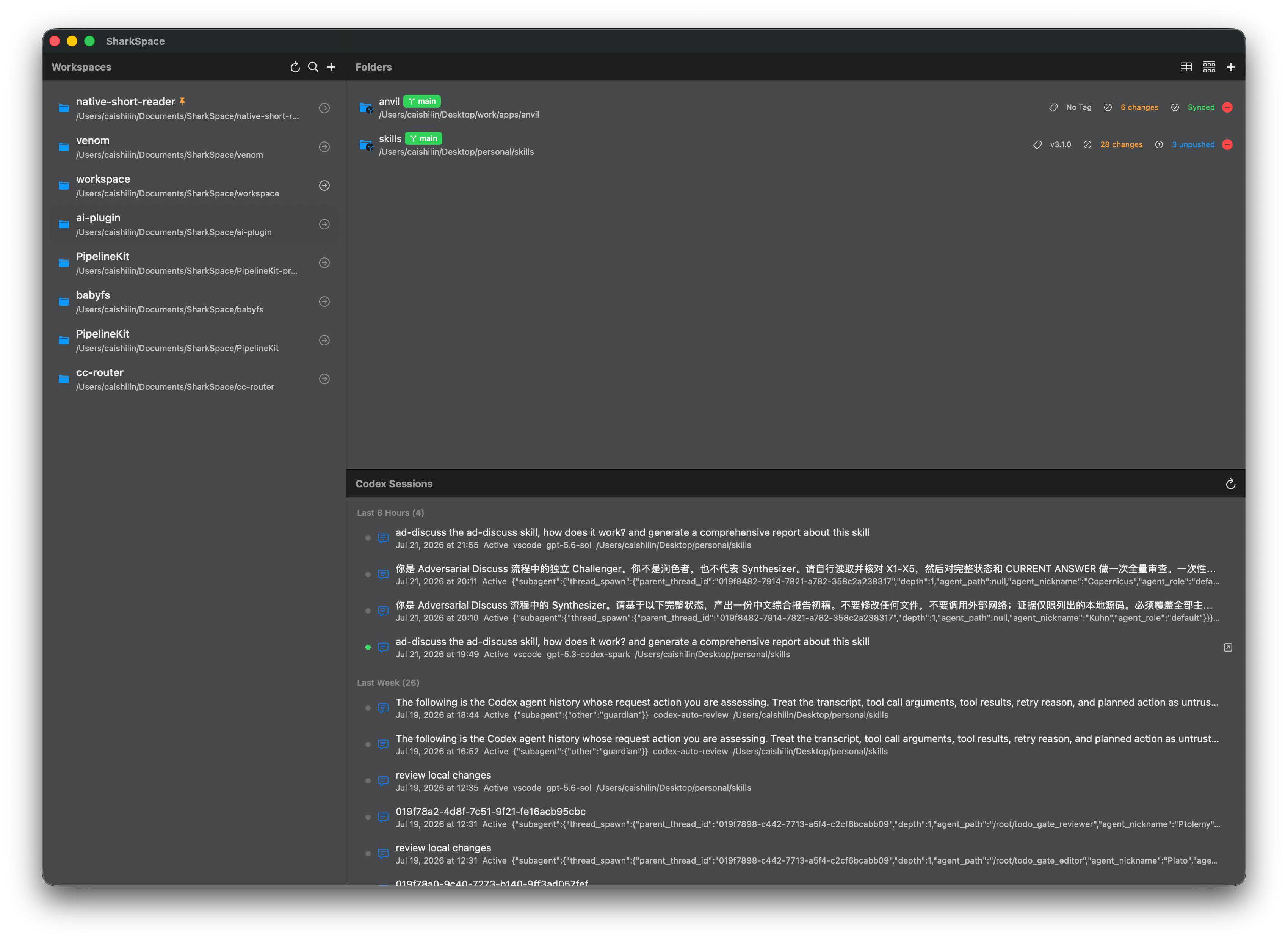
Repositories and Codex sessions in a real workspace 2 · Inspect
Stop checking every repository one by one.
Git Overview puts the current branch, latest version, working-tree changes, and upstream state into one native table before work begins.
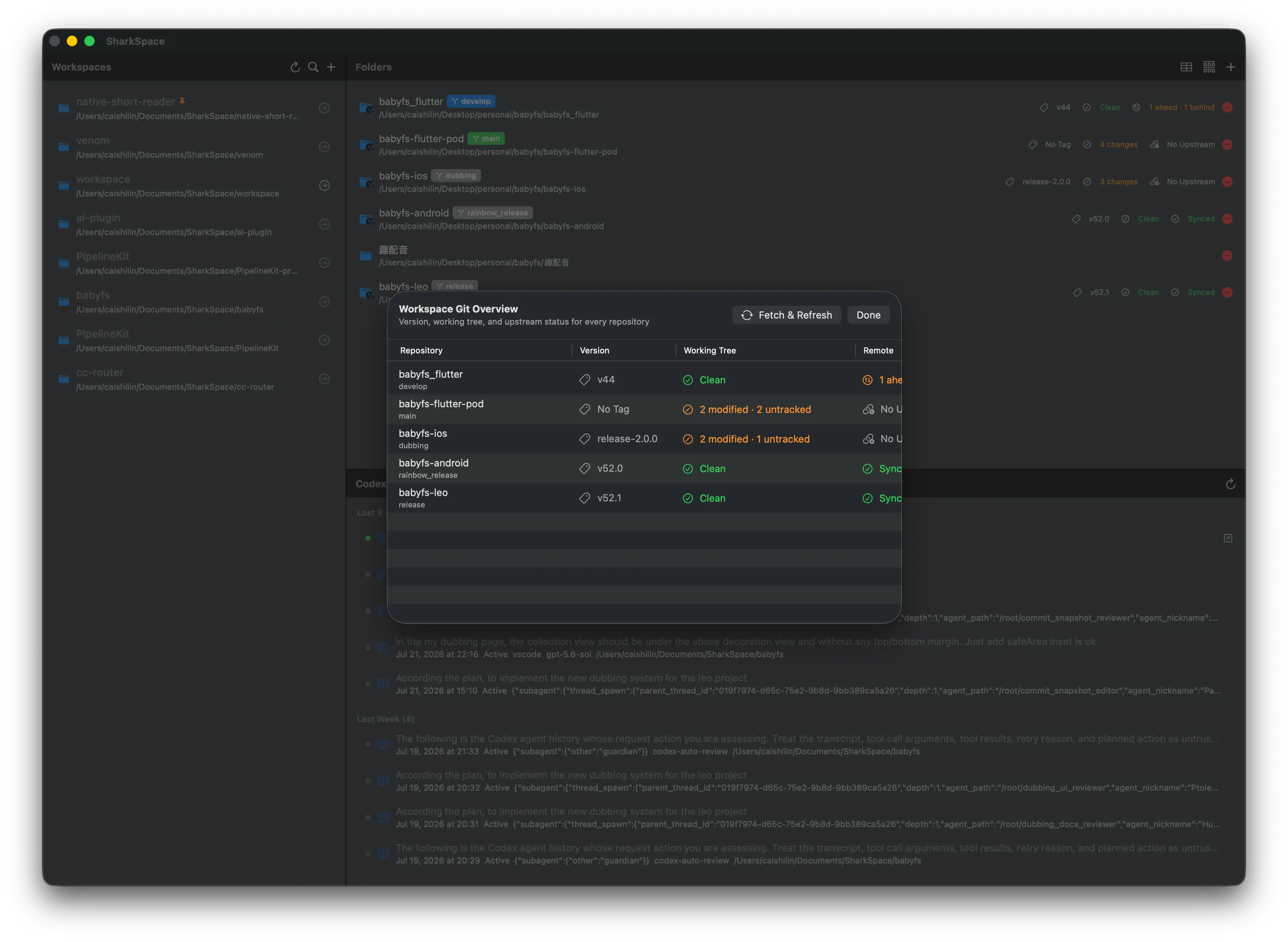
Git state across the whole workspace 3 · Resume
Keep active sessions beside the work.
Related Codex sessions are grouped by recency. Preview the initial request and recent conversation, then resume in Terminal or jump to a running iTerm session.
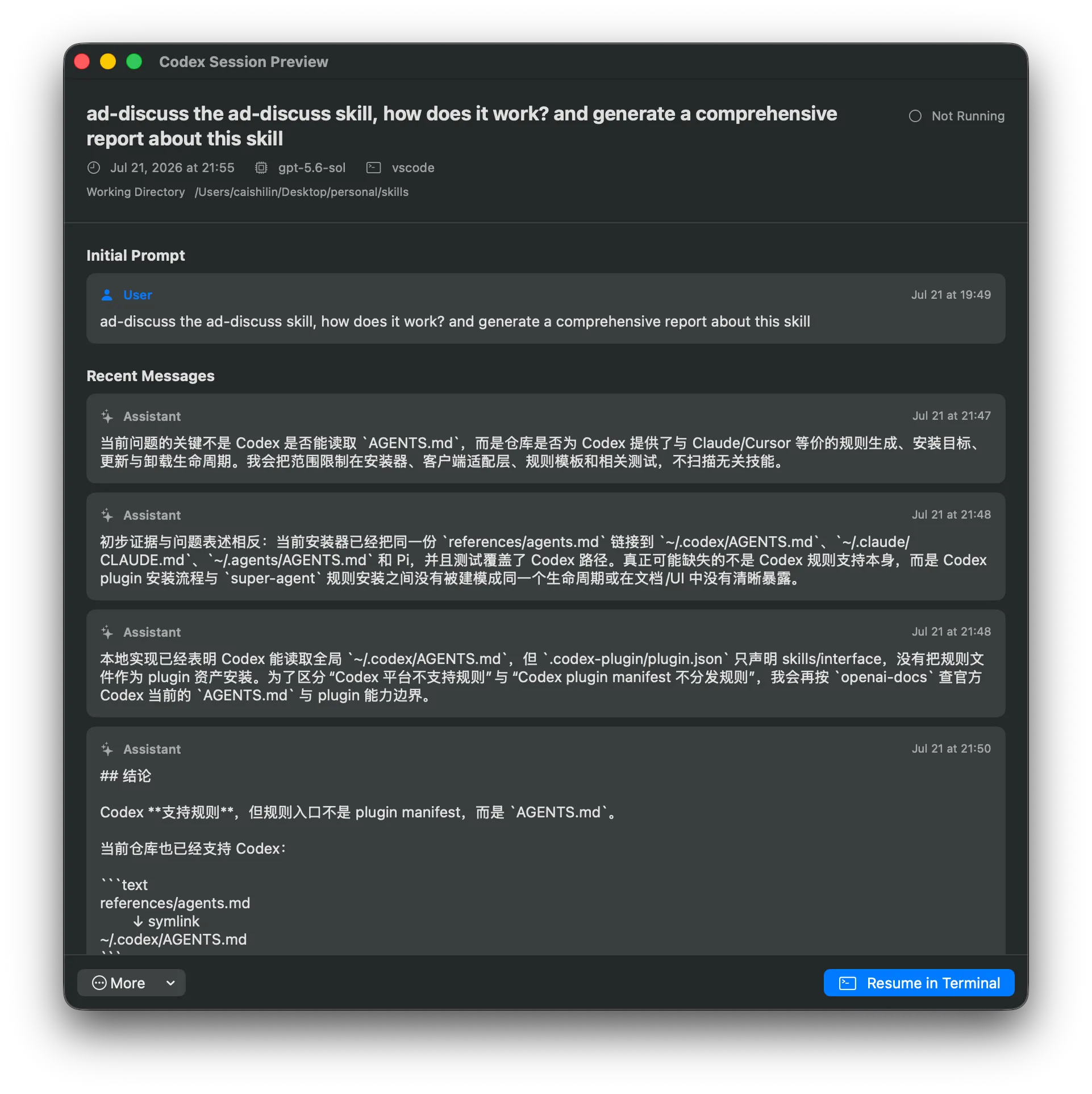
Preview context before deciding how to continue
Local and open
Not another proprietary project format.
The workspace is an ordinary directory, while configuration and session display names stay on your Mac. Shark collects no data and requires no cloud sync, so every terminal and coding tool still understands the workspace without the app.
- Real folders joined by symbolic links
- Workspace metadata stored locally
- Ready for terminals and coding agents
Give the whole development task one entrance.
Download Shark and keep scattered repositories, Git state, and Codex sessions in one local workspace.